WinBliter8
iPhone & iPad A12 / A13 BootROM Tool for Windows
WinBliter8 uses the usbliter8 BootROM exploit to gain low-level access to iPhone A12 and A13 devices via USB.
Current version (v1.4)
Coming in future updates
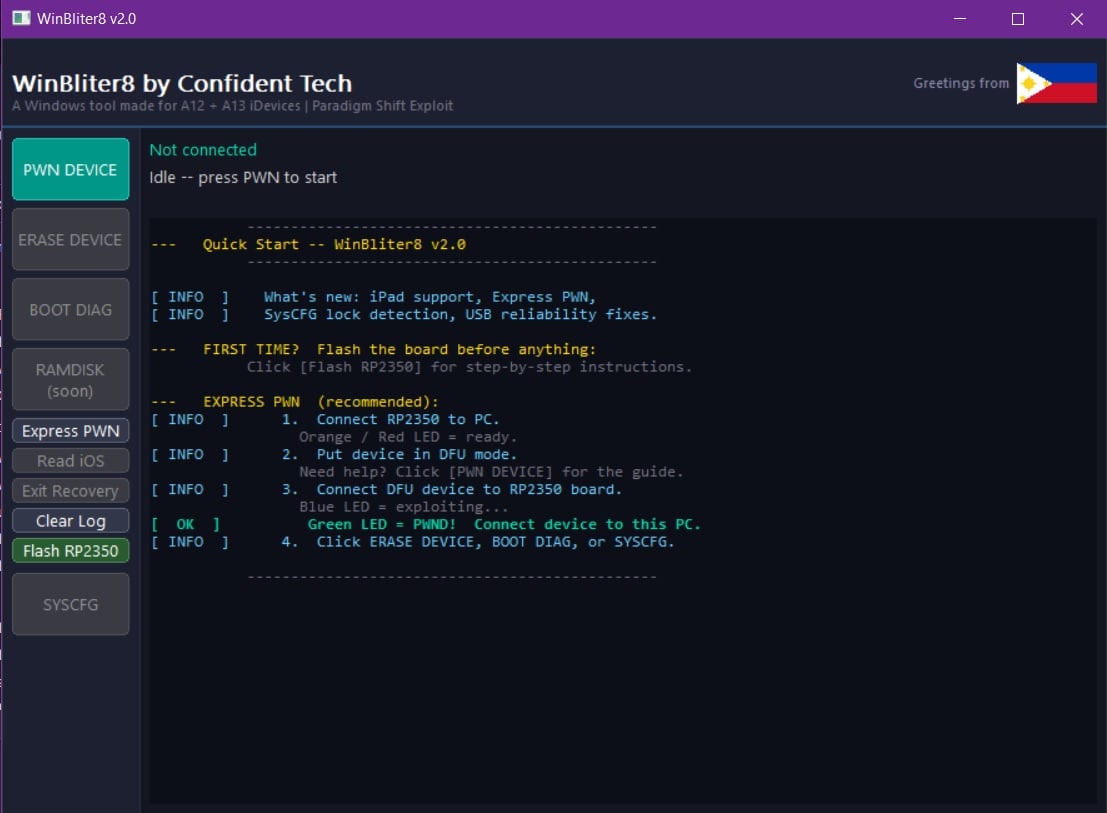
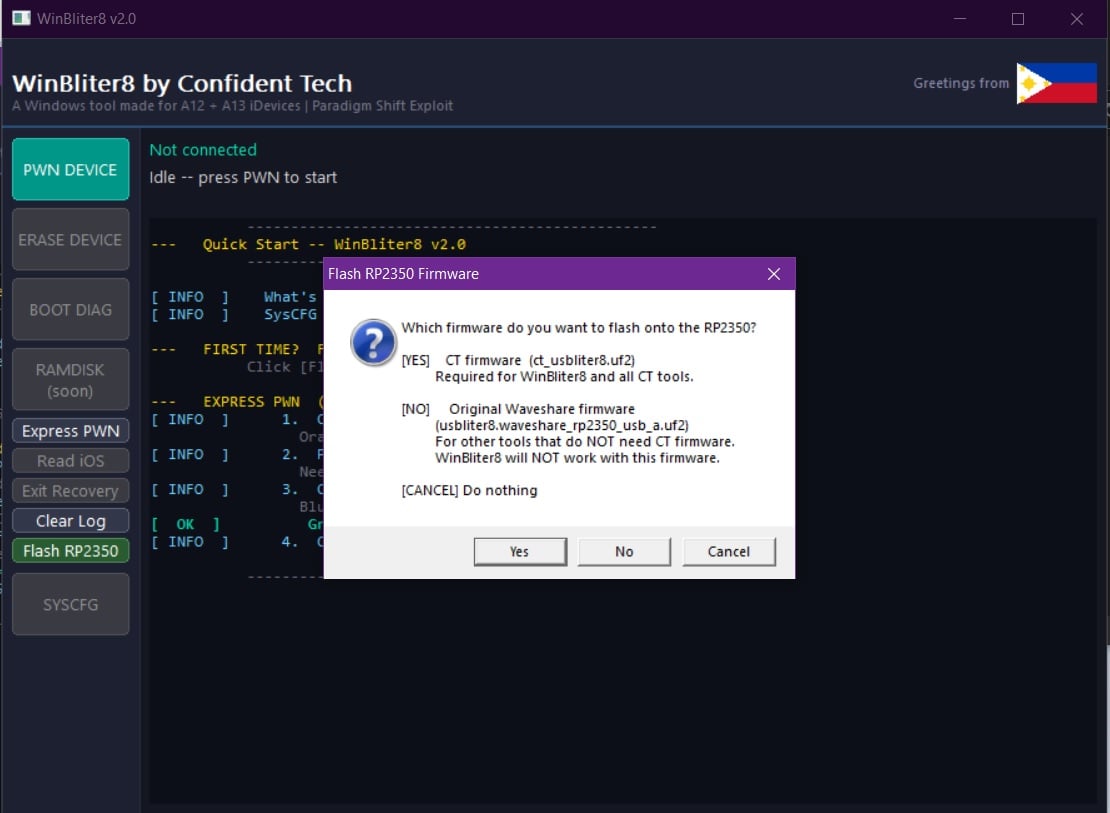
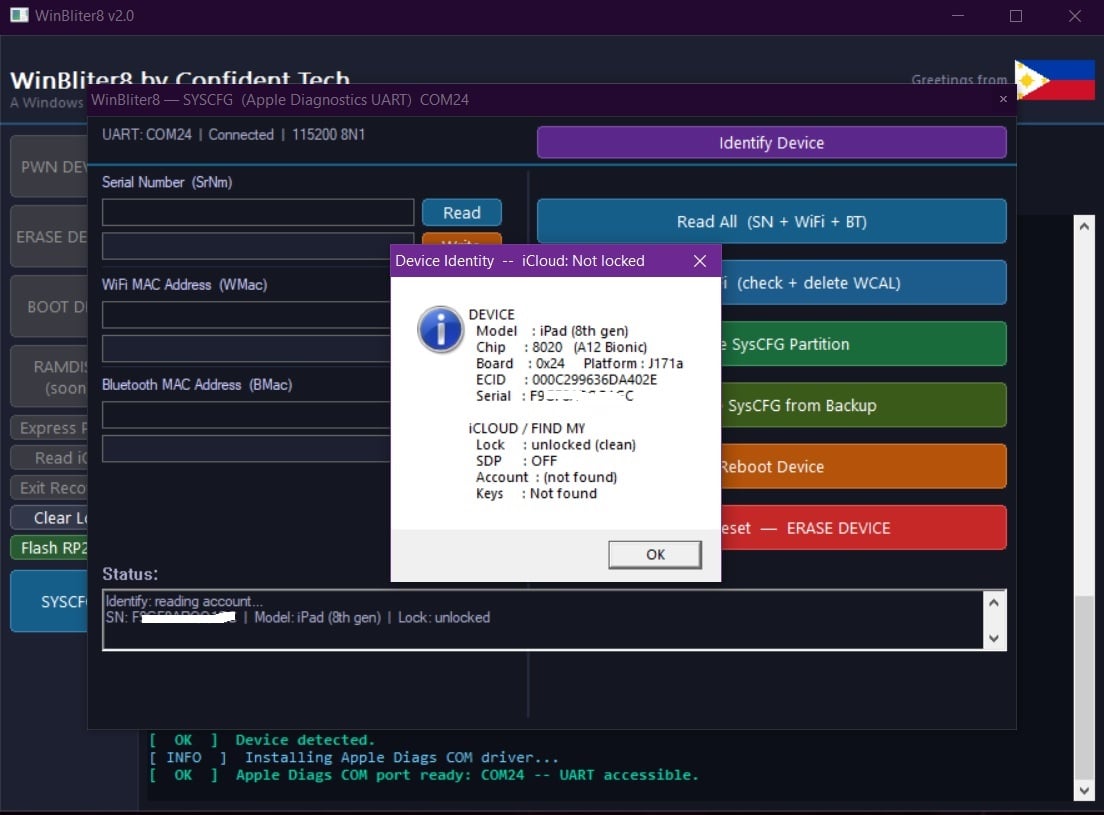
WinBliter8 guides you through every step — DFU entry, exploit, and erase.
Supported Devices
Requirements
- Windows PC
- Waveshare RP2350-USB-A exploit board (sold separately)
waveshare.com/wiki/RP2350-USB-A - Active WinBliter8 license
WinBliter8 v2.1 comes with CTiActiv8.exe — a companion tool for iPhone A12 / A13 iCloud activation directly from Windows. No Mac required.
iActiv8 shares your WinBliter8 license. No separate purchase. Activate WinBliter8, and iActiv8 is ready to use on the same PC.
Learn more about iActiv8 →For technicians who use WinBliter8 and iActiv8 via remote desktop or work across multiple client PCs.
Standard license: up to 2 PCs. · Remote License: unlimited PCs.
To upgrade, pay ₱1,000 via GCash or BDO and send proof of payment to support@confident-tech.com with the subject "Remote License Upgrade" and your CT account email. Your account will be upgraded within 24 hours.



Make sure to include the email address you used to register at confident-tech.com — we need it to activate your account.
After payment is confirmed and your account is activated, log into your CT account and visit confident-tech.com/winbliter8-download to get your download link.
Activation hours: 8:00 AM – 8:00 PM Philippine Time (UTC+8), Monday to Sunday.
Payments received during activation hours are typically processed within minutes.
You need a free Confident Tech account to activate WinBliter8. Create one here if you don't have one yet.
Requires WinBliter8 v2.1 or later. Download the latest version using the button above.
Already have an account? → Activate WinBliter8